
One of the biggest changes to how Windows 11 handles drivers is coming with the latest security update. Microsoft is tightening control over Windows kernel drivers because of rising fears about system-level attacks. This will directly affect how hardware and software work with the system.
This new update for Windows 11
focuses on getting rid of risky old driver practices and making Windows 11's
security features stronger to make it less likely for rootkits and other
unauthorized access to happen. This article will explain what changed, why it
matters, and how it affects people and businesses in their daily lives.
What does the new Windows 11
security update do?
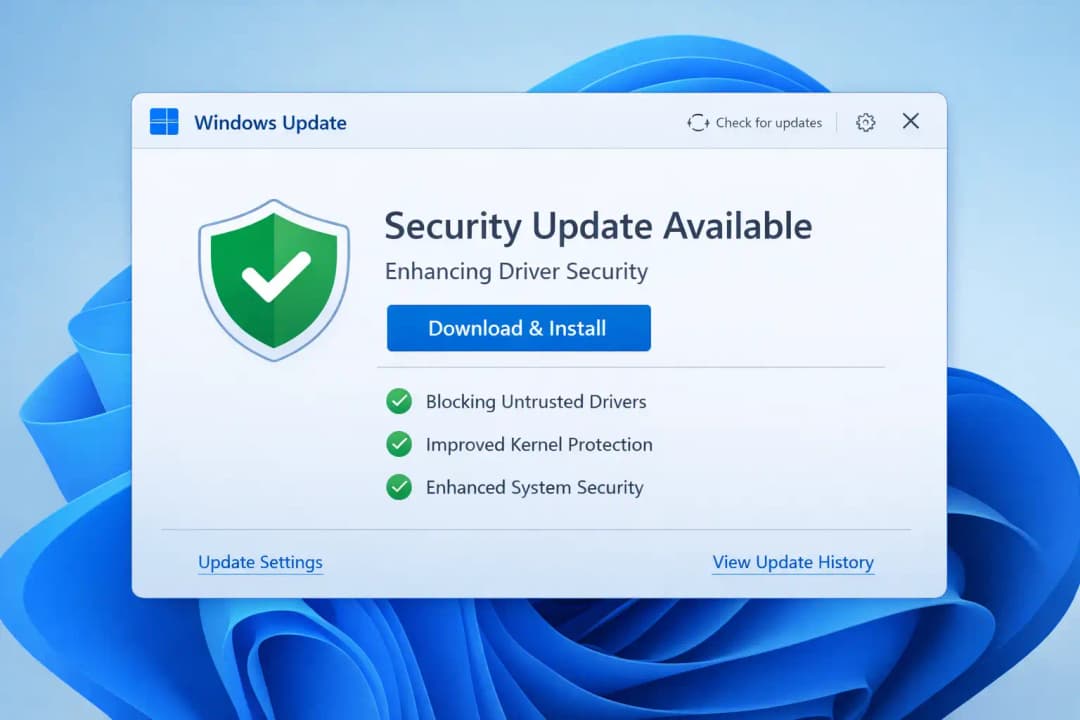
The new Windows 11 update, 2026, will have a strict policy that stops old and untrusted drivers from loading into the system by default. This isn't just a normal Windows 11 system update; it's a change in how security works.
Details about the Windows 11 driver security update in 2026
• Only drivers that have been
approved by Microsoft will run on their own.
• People no longer trust older ways of signing drivers.
• The update also works for driver update environments in Windows Server 2025.
This change makes the attack surface much smaller, especially at the kernel level, where threats are hardest to find and get rid of.
Why Microsoft is Stopping Drivers
That Aren't Trusted
What you need to know about Windows
11 blocking untrusted drivers
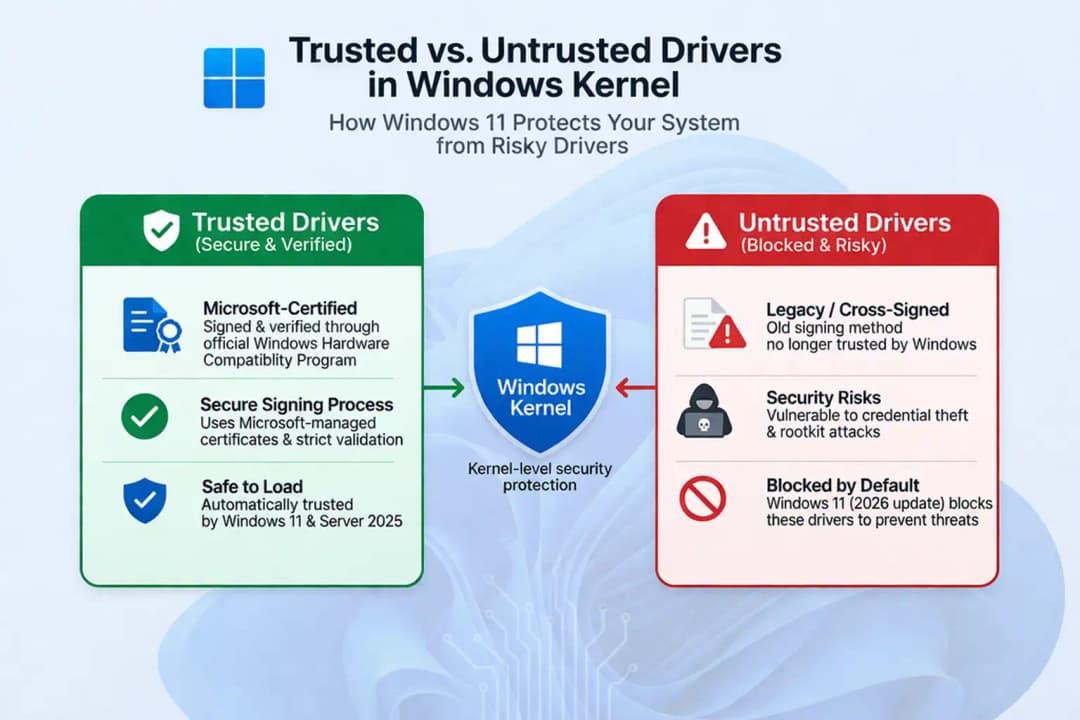
Before, Windows let drivers signed by third-party certificate authorities
through an older system. It was useful, but it didn't have strict validation.
That made a big hole in security:
• Developers were in charge of their
own signing keys.
• Attackers could install harmful drivers if they got hold of stolen or
compromised keys.
• These drivers could run at the kernel level, which made it very hard to find
them.
This old way of doing things became
a common way for advanced threats like rootkits to get in.
Microsoft is putting security changes for Windows 11 ahead of compatibility
with older versions of Windows by taking away trust in these drivers.
Changes to Windows 11 Driver Signing
What you need to know about the new
Microsoft driver signing policy
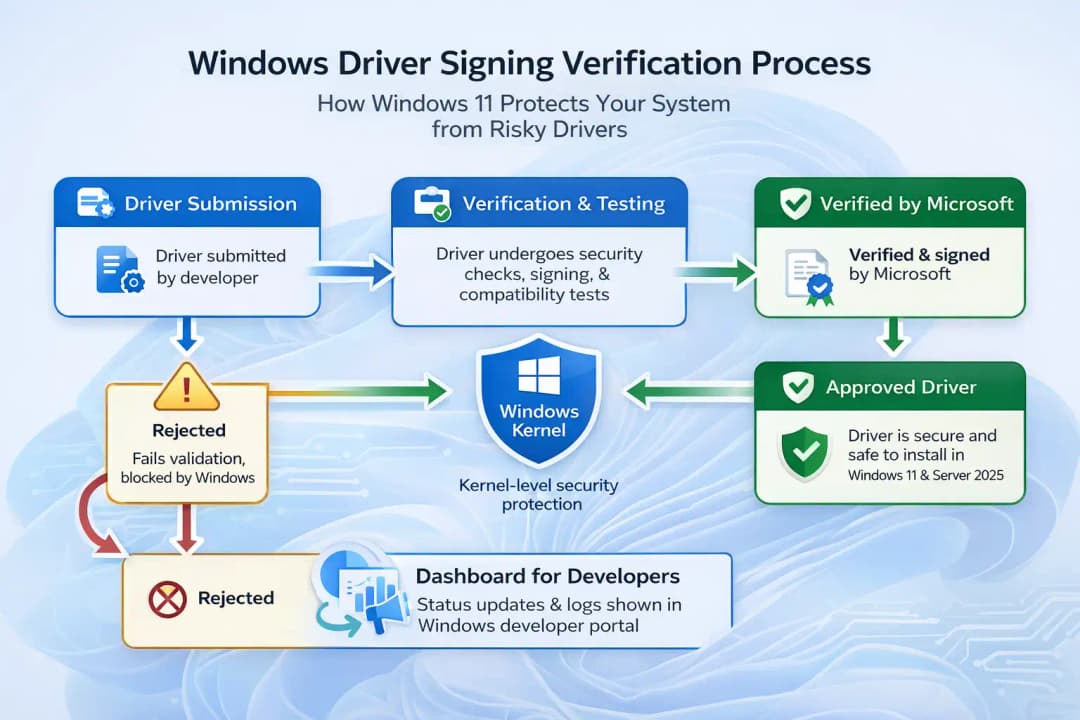
The new system makes the certification process more controlled and safe.
To get approval, driver developers must now:
• Pass checks to prove your identity
• Send drivers in for thorough
compatibility testing
• Get scanned for malware
• Get a signing certificate from Microsoft
This makes sure that every approved driver meets strict safety and performance
standards.
Big Changes in Signing Drivers for Windows 11
• Microsoft manages centralized
trust • Less likely to have certificates stolen
• Better compatibility with Windows 11 drivers
• More in line with current security standards
These changes are a big step up in
Windows 11 features, especially when it comes to security for businesses.
How the New System Works with Drivers
Changes to the Windows 11 kernel
driver have an effect.
Microsoft knows that blocking drivers could cause problems. The system uses a
phased enforcement approach to stop widespread problems with Windows 11
updates.
How it works
• Starts out in evaluation mode
• Watches how drivers act without stopping right away
• Keeps an eye on how stable and compatible the system is
• Only blocks after safe limits have been reached
If a driver that isn't supported is
found:
• The system puts off enforcement
• The cycle of evaluation starts
over.
• Important operations keep going without a hitch.
List of trusted old drivers that are allowed
To keep the system from crashing:
• Some drivers that are used a lot
are put on a trusted allow list.
• These drivers still work even if they use older ways to sign.
This method strikes a balance
between security and usability, lowering the chance of breaking important
systems.
What This Means for Businesses and
People Who Use Windows 11
For everyday users
Most users won't notice big changes, but here are some benefits:
• Better protection against malware
that isn't obvious
• Lowered chance of system compromise
• Better stability of the system over time
Some users, on the other hand, may have:
• Drivers for older hardware don't
work anymore.
• Drivers need to be updated by hand.
For companies and businesses
Organizations that use custom
drivers have a different path.
Option for enterprise bypass
Companies can:
• Make use of application control policies
• Sign drivers with trusted internal authorities
• Add trust to secure boot systems
This makes sure:
• Tools that are internal keep
working
• Safety is still in place.
• Drivers who don't have permission still can't load.
This level of flexibility is very
important for businesses that depend on custom kernel-level software.
Possible issues with Windows 11 updates and how to fix them
Problems with Windows 11 drivers that you might have
Even with careful planning, some problems may still come up:
• Old hardware drivers not loading
• Warnings about compatibility after
an update
• Driver initialization is taking longer
How to fix problems with Windows 11 drivers not working with each other
1. Get the latest drivers from
official sources.
You should always get the newest drivers from the websites of the companies
that make them.
2. Check Windows Update often. Microsoft may automatically install certified
driver updates.
3. If necessary, replace old hardware.
Old devices might not be able to meet new security standards.
4. Use company policies (for businesses)
Custom driver environments can safely get around restrictions.
This Windows 11 security update has some important benefits
• Better protection against attacks at the kernel level
• Lower chance of hidden malware and
rootkits
• Better process for checking drivers
• More reliable systems over the long term
• More control for business settings
Questions and Answers
What is the 2026 security update for
Windows 11 drivers?
This is a big security update for Windows 11 that stops untrusted drivers from
working and makes it harder to get drivers certified.
Why is Windows 11 not letting
untrusted drivers work?
To stop security threats like rootkits that take advantage of weak driver
signing systems.
Will the Windows 11 update mess up
drivers?
Some older drivers might stop working, especially if they aren't properly
certified.
How does signing Windows drivers
work now?
Before being approved, drivers must go through Microsoft's verification
process, which includes testing and scanning for malware.
How do you fix problems with Windows
11 drivers that don't work with other software?
If you need to, update drivers, use official sources, or replace old hardware.
In conclusion
This Windows 11 security update changes the way Microsoft protects systems at the most basic level. The company is fixing long-standing security holes by tightening control over Windows kernel drivers, getting rid of old trust models, and enforcing strict certification.
There may be some problems with Windows 11 drivers in the short term, but in the long term, Windows 11 will be safer, have better security features, and be more stable. Individuals and businesses alike will need to get used to these Windows 11 security changes in order to keep their computers safe and reliable.





