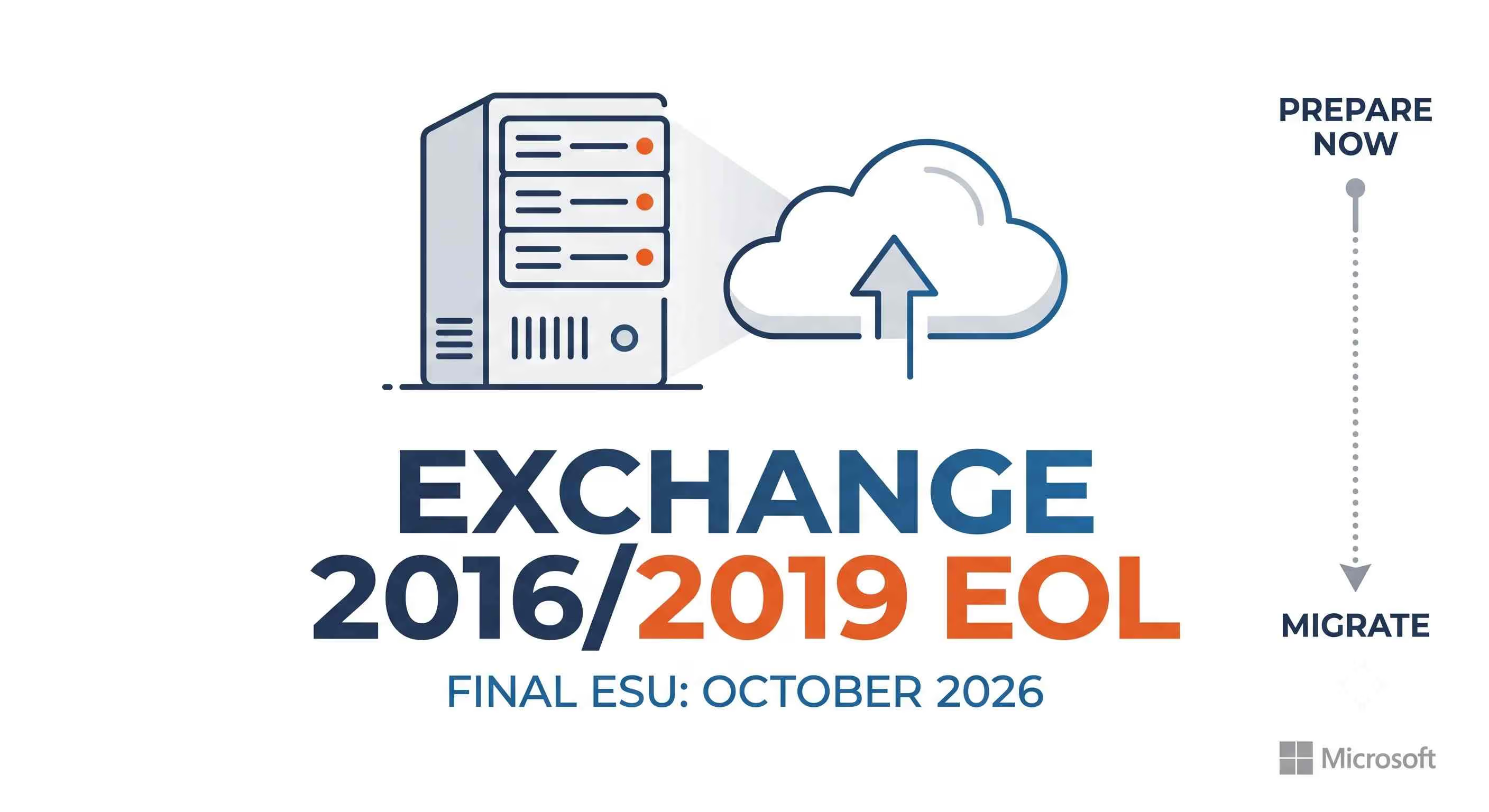
| What happened | Exchange Server 2016 and 2019 left standard support on October 14, 2025. Microsoft opened a Period 1 paid ESU bridge through April 2026, then a Period 2 bridge running May through October 2026, and has confirmed there will be no Period 3. |
| Who is affected | Every organization still running on premises Exchange Server 2016 or 2019, including hybrid environments that keep a legacy server for management purposes. |
| Why it matters now | After October 2026, any newly discovered flaw in these servers becomes a permanent, unpatched hole, and history with ProxyShell and ProxyNotShell shows attackers do not wait politely for a patch window. |
| What to do | Move to Exchange Server Subscription Edition through an in place upgrade if you are on Exchange 2019 CU14 or CU15, or plan a legacy migration if you are still on Exchange 2016, or shift mailboxes to Exchange Online. |
Exchange Server 2016 2019 ESU End of Life: The October 2026 Deadline and the Real Migration Blueprint
I have sat in enough change advisory board meetings to know that nobody gets excited about an email server upgrade project. It is not glamorous work. There is no ribbon cutting moment. Yet every infrastructure engineer who lived through the ProxyShell wave in 2021 remembers exactly how fast a quiet Exchange box can turn into the worst week of the year.
That memory is why the current countdown matters so much. Exchange Server 2016 and Exchange Server 2019 have already left standard support, and the safety net Microsoft built underneath them, the Extended Security Update program, is now down to its final stretch. Once October 2026 closes, that net disappears for good.
This is not a vague lifecycle notice buried in a support article. It is a hard, publicly confirmed stop date, and Microsoft has been unusually blunt about it. If your organization is still running mail on Exchange 2016 or 2019, this guide walks through exactly what changed, why the risk is not theoretical, and how to move to Exchange Server Subscription Edition or Exchange Online without turning your migration into a fire drill.
The October 2026 ESU Hard Deadline
Both Exchange Server 2016 and Exchange Server 2019 reached the end of their standard servicing lifecycle on October 14, 2025. Microsoft opened a paid bridge program called Period 1 Extended Security Updates that ran from that date through April 14, 2026, covering only vulnerabilities rated Critical or Important by the Microsoft Security Response Center.
As April 2026 approached, Microsoft heard from enough customers who were mid migration that it opened a second bridge. On April 15, 2026, the company announced Period 2, running from May 1 through October 31, 2026. Anyone who wants Period 2 coverage has to buy a fresh Enterprise Agreement based ESU contract, even if they already paid for Period 1. It is not an automatic rollover. Microsoft has stated plainly that this is the final extension, with no Period 3 planned under any circumstances.
| Date | Milestone |
|---|---|
| October 13, 2020 | Exchange Server 2016 reaches mainstream end of support |
| January 2024 | Exchange Server 2019 mainstream support winds down |
| October 14, 2025 | Extended support ends for both Exchange 2016 and Exchange 2019 |
| October 2025 to April 14, 2026 | Period 1 ESU, Critical and Important fixes only, paid enrollment |
| May 1 to October 31, 2026 | Period 2 ESU, final six month bridge, requires a new purchase even for Period 1 customers |
| After October 31, 2026 | No further security updates of any kind, confirmed as final by Microsoft |
What Period 2 does not give you is worth spelling out. You cannot open a general support case for Exchange 2016 or 2019 anymore. The only exception is a problem directly caused by an ESU update itself. Feature requests, performance tuning help, and non security bug fixes are simply off the table. Treat Period 2 as pure triage coverage, not a return to normal support.
Windows Ecosystem Context Worth Knowing
One adjacent lifecycle shift is worth flagging because it changes the calculus for teams that were planning around a single 2026 cutoff. Microsoft quietly extended the free consumer Windows 10 Extended Security Updates program by an extra year in June 2026, pushing coverage from October 2026 out to October 12, 2027.
Enterprise Windows 10 ESU remains a paid, multi year program with its own separate cost structure. That extension applies to endpoints, not to Exchange itself, but if your migration project also touches domain controllers or management workstations running Windows 10, it buys a little breathing room there specifically. It does not move the Exchange deadline at all.
For the Windows Server host operating system your future Exchange SE box will run on, check Microsoft's current lifecycle documentation directly before you finalize hardware, since those support windows are updated independently of the Exchange calendar.
Why an Unpatched Exchange Box is Not a Passive Risk
An expert answer here in thirty seconds: unpatched on premises Exchange servers have a documented, repeated history of becoming initial access points for ransomware crews and espionage groups, because Exchange sits on the internet edge with administrative reach into the whole mail environment. This is not a hypothetical.
The ProxyShell Lesson
ProxyShell is the name security researchers gave to a chain of three flaws, CVE-2021-34473, CVE-2021-34523, and CVE-2021-31207, discovered by researcher Orange Tsai during the 2021 Pwn2Own contest. CVE-2021-34473 alone carries an NVD severity score of 9.8, in the critical range, and lets an attacker with zero credentials confuse the Exchange Client Access Service into granting SYSTEM level backend access.
Chain it with the privilege escalation and file write flaws that follow, and an outsider with no account on your network can write a web shell and run arbitrary commands. CISA added CVE-2021-34473 to its Known Exploited Vulnerabilities catalog back in November 2021, and it has stayed exploited in the wild ever since.
Here is the part that should concern anyone tempted to run past the October 2026 deadline. Security researchers at F5 Labs reported that ProxyShell scanning activity actually doubled in April 2026, split across two distinct campaign clusters rotating through European hosting providers and US cloud platforms. That is not a five year old vulnerability fading into irrelevance.
It is a five year old vulnerability still being actively hunted, on production infrastructure, right now. Legacy Exchange servers do not get safer with age. They get more thoroughly cataloged by attackers who know exactly which unpatched estates are still out there.
The ProxyNotShell Sequel
A year later, in September 2022, researchers at GTSC uncovered a fresh zero day chain affecting fully patched Exchange servers, dubbed ProxyNotShell by researcher Kevin Beaumont because it echoed the same server side request forgery to remote code execution pattern. CVE-2022-41040, an SSRF flaw with a CVSS score of 8.8, combined with CVE-2022-41082 to allow remote code execution through Exchange PowerShell, though this chain required the attacker to already hold valid credentials.
Microsoft shipped a fix on November 8, 2022. Ransomware operators later found a bypass of the initial URL rewrite mitigation, a variant CrowdStrike named OWASSRF, proving that even a patched mitigation is not the same thing as a closed door.
Hoplon Insight Box: The pattern across both ProxyShell and ProxyNotShell is identical. A flaw gets discovered, gets patched, and then keeps generating exploitation attempts for years against anyone who never applied the fix or never moved off the platform entirely.
Once ESU ends in October 2026, that pattern has no patch to eventually arrive. Running continuous vulnerability management against internet facing mail infrastructure and layering email security and anti phishing controls in front of it buys time, but neither substitutes for retiring the unsupported server.
-20260722121151.webp&w=1080&q=75 "Exchange Server 2016 2019 ESU End of Life")
What Exchange Server Subscription Edition Actually is
In one sentence, Exchange Server SE is not a new product rebuilt from scratch, it is Exchange 2019 CU15 wearing a new name and a subscription license. Microsoft has confirmed that Exchange SE RTM is code equivalent to Exchange Server 2019 CU15, including the May 2025 hotfix update, with no features added or removed at launch. The build numbers change and the license agreement text changes, and that is essentially it at release.
That equivalence is deliberate. It is what makes the in place upgrade path so low risk, because you are not swapping architectures, you are applying what behaves like one more cumulative update.
The licensing model is the real shift. Exchange SE moves away from a one time perpetual purchase and requires active Software Assurance or an equivalent subscription arrangement through an Enterprise Agreement or Cloud Solution Provider agreement, turning Exchange into an evergreen product that receives ongoing cumulative updates rather than a new major version every few years.
| Requirement | Detail |
|---|---|
| Source version for in place upgrade | Exchange 2019 CU14 or CU15 only |
| Active Directory schema changes | None from CU15, /PrepareAD may be needed only if upgrading from CU14 |
| New license keys | Not required for the upgrade step itself |
| Licensing model needed to run SE long term | Enterprise Agreement or CSP subscription with active Software Assurance |
| Operating system in place upgrade | Not supported, the underlying Windows Server OS cannot be upgraded in place alongside Exchange |
The Migration Matrix: Which Path Fits Your Environment
Direct answer first. Exchange 2019 on CU14 or CU15 gets the simple path, an in place upgrade. Exchange 2016 does not qualify for that shortcut and needs a legacy, side by side migration. Anything older than that needs an intermediate hop before it can reach Exchange SE.
| Current Version | Target Platform | Supported Path | Relative Downtime |
|---|---|---|---|
| Exchange 2019 CU14 or CU15 | Exchange SE | In place upgrade, installed like a cumulative update | Minimal, treat it like a CU install window |
| Exchange 2016 | Exchange SE | Legacy upgrade, new SE servers added, mailboxes moved, old servers decommissioned | Low, scheduled mailbox moves |
| Exchange 2013 or older | Exchange SE | Intermediate upgrade to a supported version first, then legacy migration to SE | Higher, plan as a multi phase project |
| Any on premises version | Exchange Online | Cloud cutover or hybrid migration through Microsoft 365 | Depends on hybrid design, can be near zero for end users |
Path A: The In Place Upgrade From Exchange 2019
If your servers already sit on CU14 or CU15, this is genuinely the least dramatic infrastructure change in years. Microsoft describes it as functioning like installing a normal cumulative update rather than a full server rebuild. For a Database Availability Group, the accepted pattern is to put one member into maintenance mode, run the upgrade, validate database health and mail flow, then move to the next member so the group never fully drops redundancy. Because no Active Directory schema changes are typically required when coming from CU15, a huge source of upgrade anxiety simply is not present here.
Path B: Exchange 2016 and the Legacy Migration Route
Exchange 2016 cannot in place upgrade to SE directly. The supported route is to stand up new Exchange 2019 CU15 or Exchange SE servers inside the existing organization, move mailboxes across using the standard move request tooling, migrate public folders, then decommission the old 2016 servers once everything has cut over cleanly. Some organizations choose to bridge through Exchange 2019 CU15 first and then perform the in place upgrade to SE afterward, which spreads the risk across two smaller, well understood steps instead of one large jump.
Path C: Offloading to Exchange Online or a Hybrid Model
Not every organization needs to keep an on premises mail server at all. For teams without a strict data residency requirement, cutting over to Exchange Online through Microsoft 365 removes the entire patch cadence question permanently, since Microsoft manages the underlying servicing.
Organizations that still need a local presence for compliance, directory synchronization, or specific mail flow routing can run a hybrid configuration, keeping lightweight management only servers on premises while the bulk of mailboxes live in the cloud. This is also where cloud storage and disaster recovery planning deserves a seat at the table early, since mailbox data gravity and backup retention policy both change the moment mail leaves your own datacenter.
Pre Migration Field Checklist
Before any upgrade window gets scheduled, a proper infrastructure health pass avoids the majority of surprises that turn a weekend maintenance window into a Monday morning incident. This is where the work looks less like migration planning and more like a structured gap assessment against your current environment.
- Confirm current cumulative update level on every Exchange 2019 server, since only CU14 and CU15 qualify for the in place path.
- Validate Database Availability Group health and replication status before touching a single server.
- Check TLS configuration and certificate validity across all Client Access endpoints, since authentication failures after an upgrade are disproportionately certificate related.
- Review antivirus and third party transport agents that hook into the Exchange pipeline, since some need to be temporarily disabled during the upgrade process.
- Confirm Active Directory Schema Master reachability if any schema extension commands are anticipated.
- Document a rollback plan and understand its real limits. Schema modified in place upgrades have narrower rollback options than a fresh side by side migration.
- Validate mail flow and authentication end to end after cutover, covering both internal clients and external senders.
Business and Security Impact if the Deadline Slips
The honest answer for what happens on November 1, 2026 if you have done nothing: your Exchange servers keep running, mail keeps flowing, and nothing visibly breaks that day. That is exactly what makes this deadline dangerous rather than dramatic. The failure mode is not an outage, it is a silent, permanent loss of the safety net that used to catch the next ProxyShell.
From a governance perspective, running unsupported mail infrastructure also complicates cyber insurance renewals, vendor security questionnaires, and any framework that requires supported software as a baseline control, which increasingly touches security compliance obligations well beyond the IT team's own risk appetite.
Boards and auditors have gotten noticeably less patient about accepting known end of life software as an acceptable risk exception, particularly for internet facing systems that historically served as ransomware entry points.
Organizations weighing whether to lean on Period 2 ESU as a long term crutch should treat it as exactly what Microsoft designed it to be, a finite bridge for teams already mid migration, not a substitute for finishing the project.
Pairing the migration timeline with an outside virtual CISO review of the cutover plan, and validating exposure with attack surface management before and after the change, gives leadership something more concrete than a vendor deadline to base the go live decision on.
Frequently Asked Questions
Can I do an in place upgrade from Exchange 2016 straight to Exchange SE?
No. Direct in place upgrades to Exchange SE are only supported from Exchange 2019 CU14 or CU15. Exchange 2016 requires a legacy, side by side migration instead.
Will Microsoft extend Exchange 2016 or 2019 ESU past October 2026?
Microsoft has explicitly stated Period 2, ending October 31, 2026, is the final extension, with no Period 3 planned under any circumstances.
What happens if I keep running Exchange 2019 after October 2026 without ESU?
The server keeps functioning, but any newly discovered vulnerability will never receive an official patch, leaving a permanent, unpatchable exposure on internet facing infrastructure.
Is Exchange Server SE identical to Exchange Server 2019?
At release, yes in almost every functional sense. Exchange SE RTM is code equivalent to Exchange 2019 CU15, with the licensing model and version numbering being the primary differences.
Do I need new hardware to move to Exchange SE?
Not necessarily for an in place upgrade on Exchange 2019 CU14 or CU15, but the underlying Windows Server operating system cannot be upgraded in place, so aging hardware or an outdated OS often forces a parallel hardware refresh.
Is Exchange Online a safer choice than staying on premises with Exchange SE?
For organizations without a strict data residency requirement, Exchange Online removes the ongoing patch management burden entirely. Organizations bound by residency or specific compliance requirements often still need Exchange SE on premises or in a hybrid configuration.
Hoplon Technical Takeaway
The Exchange 2016 and 2019 story is not really about a calendar date. It is about the gap between a server that still technically works and a server that is still actually defensible. Period 2 ESU buys until the end of October 2026 and nothing beyond it.
Exchange SE removes the migration pain almost entirely for anyone already sitting on CU14 or CU15, which makes procrastination the only genuinely expensive choice left on the table. Whether your organization lands on an in place upgrade, a legacy migration, or a full cutover to Exchange Online, the work is best treated as a security project first and an infrastructure project second.
If your team needs an outside set of eyes on the migration plan, a pre cutover vulnerability assessment, or incident readiness in case a legacy server gets targeted before the cutover finishes, the team at Hoplon InfoSec works through exactly this kind of infrastructure transition with enterprise clients, including incident response and recovery planning and cyber threat intelligence on active exploitation of legacy Exchange flaws. You can also browse more infrastructure security breakdowns like this one on the Hoplon InfoSec blog.