
Chrome 143 Security Update: RCE Risks and CVE Fixes
Google Chrome 143 was an important security release when it reached the Stable channel on December 2, 2025. The initial desktop update fixed 13 security vulnerabilities, including four flaws Google rated High severity. The most notable was CVE-2025-13630, a type-confusion vulnerability in Chrome's V8 JavaScript engine that could allow a remote attacker to potentially trigger heap corruption through a specially crafted HTML page.
However, there is an important update for anyone reading this today: Chrome 143 is no longer a current security baseline. Users should install the latest Stable version available for their operating system instead of intentionally remaining on Chrome 143.
As of Google's August 20, 2026 desktop Stable bulletin, Chrome had reached 151.0.7922.173/.174 for Windows and macOS and 151.0.7922.173 for Linux. Google was also distributing Chrome 152 through its Early Stable channel to a smaller percentage of users.
Quick Answer: What Did the Chrome 143 Security Update Fix?
The original Chrome 143 desktop release shipped as:
| Platform | Chrome 143 Initial Stable Version |
|---|---|
| Windows | 143.0.7499.40/41 |
| macOS | 143.0.7499.40/41 |
| Linux | 143.0.7499.40 |
Google said the release included 13 security fixes. Four were rated High, three Medium, and six Low.
The main risks included memory corruption in V8 and Digital Credentials, privilege escalation through Google Updater on macOS, a possible sandbox escape involving DevTools and a malicious extension, download-handling issues, a V8 race condition, and several lower-severity implementation problems.
All 13 Security Vulnerabilities Fixed in the Initial Chrome 143 Release
| CVE | Severity | Component | Vulnerability |
| CVE-2025-13630 | High | V8 | Type confusion |
| CVE-2025-13631 | High | Google Updater | Inappropriate implementation |
| CVE-2025-13632 | High | DevTools | Inappropriate implementation |
| CVE-2025-13633 | High | Digital Credentials | Use after free |
| CVE-2025-13634 | Medium | Downloads | Inappropriate implementation |
| CVE-2025-13720 | Medium | Loader | Bad cast |
| CVE-2025-13721 | Medium | V8 | Race condition |
| CVE-2025-13635 | Low | Downloads | Inappropriate implementation |
| CVE-2025-13636 | Low | Split View | Inappropriate implementation |
| CVE-2025-13637 | Low | Downloads | Inappropriate implementation |
| CVE-2025-13638 | Low | Media Stream | Use after free |
| CVE-2025-13639 | Low | WebRTC | Inappropriate implementation |
| CVE-2025-13640 | Low | Passwords | Inappropriate implementation |
Google's December 2 security bulletin lists all 13 CVEs and their Chromium severity ratings.
CVE-2025-13630: Why the V8 Type-Confusion Flaw Matters
CVE-2025-13630 was one of the most important vulnerabilities in the original Chrome 143 update.
V8 is the JavaScript engine used by Chrome to process JavaScript on websites. A type-confusion vulnerability occurs when software handles an object or piece of data as the wrong type. In a complex engine such as V8, that mistake can lead to unsafe memory operations.
According to the National Vulnerability Database, Chrome versions before the fixed Chrome 143 build allowed a remote attacker to potentially exploit heap corruption through a crafted HTML page. The CISA-provided CVSS 3.1 score displayed by NVD is 8.8, High severity.
That does not mean every visit to a malicious webpage automatically results in full remote code execution. Exploitation depends on the vulnerability, browser protections, operating system protections, and whether an attacker can build a working exploit chain.
The safer and more accurate conclusion is that CVE-2025-13630 created a serious memory-corruption risk that could potentially contribute to code execution.
For an example of how V8 vulnerabilities can progress from browser bugs to real-world attacks, Hoplon Infosec has also examined an actively exploited Chrome V8 zero-day discovered later in 2026.
CVE-2025-13631: Google Updater Privilege-Escalation Risk
CVE-2025-13631 affected Google Updater on macOS.
NVD describes the flaw as an inappropriate implementation that could allow a remote attacker to perform privilege escalation through a crafted file on vulnerable Chrome installations. CISA's ADP data assigns it a CVSS 3.1 score of 8.8 High.
Privilege escalation is different from remote code execution. It involves obtaining permissions that an attacker should not normally have.
This distinction is important because the Chrome 143 security update fixed several different classes of security weaknesses rather than one single RCE vulnerability.
CVE-2025-13632: DevTools and Malicious Extensions
CVE-2025-13632 affected Chrome DevTools.
According to NVD, an attacker would first need to convince a victim to install a malicious Chrome extension. The attacker could then potentially use a crafted extension to perform a sandbox escape.
That additional requirement makes its attack path different from a normal drive-by webpage exploit.
Extensions remain an important part of browser security. Even when Chrome itself is fully patched, a malicious or compromised extension can create additional risk. Hoplon Infosec has separately investigated malicious Chrome extensions that collected data and manipulated search traffic.
CVE-2025-13633: Use-After-Free in Digital Credentials
CVE-2025-13633 was another High-severity memory-safety vulnerability.
NVD says a remote attacker who had already compromised Chrome's renderer process could potentially exploit heap corruption through a crafted HTML page. The vulnerability is classified as a use-after-free issue.
A use-after-free bug occurs when software continues using memory after that memory has already been released. Under the right conditions, such bugs can lead to crashes, information exposure or more serious memory corruption.
CISA's ADP data gives CVE-2025-13633 a CVSS 3.1 score of 8.8 High.
Did the Original Chrome 143 Release Fix an Actively Exploited Zero-Day?
Not according to Google's December 2, 2025 release bulletin.
Google listed the 13 security fixes but did not say any of those initial vulnerabilities were being actively exploited in the wild. Independent reporting at the time also noted that Google had not identified active exploitation for the initial group.
However, the Chrome 143 story changed only days later.
December 10: Chrome 143 Patched an Actively Exploited Vulnerability
On December 10, 2025, Google released Chrome 143.0.7499.109/.110 for Windows and macOS and 143.0.7499.109 for Linux.
That update fixed three vulnerabilities, including:
CVE-2025-14174 - High-severity out-of-bounds memory access in ANGLE.
Google explicitly stated that it was aware of an exploit for CVE-2025-14174 existing in the wild.
CISA later added CVE-2025-14174 to its Known Exploited Vulnerabilities catalog. NVD describes the flaw as allowing a remote attacker to trigger out-of-bounds memory access through a crafted HTML page.
So the correct answer is:
The initial December 2 Chrome 143 release did not contain a publicly confirmed actively exploited zero-day, but a later Chrome 143 security update did patch an actively exploited vulnerability.
Chrome 143 Continued Receiving Security Fixes
Chrome 143 was not a single one-time security patch. Google continued updating the branch after its original release.
| Date | Desktop Version | Security Update |
| Dec. 2, 2025 | 143.0.7499.40/41 | Initial release with 13 security fixes |
| Dec. 10, 2025 | 143.0.7499.109/.110 | 3 fixes, including exploited CVE-2025-14174 |
| Dec. 16, 2025 | 143.0.7499.146/.147 | 2 additional High-severity fixes |
| Jan. 6, 2026 | 143.0.7499.192/.193 | High-severity CVE-2026-0628 in WebView |
The December 16 update fixed CVE-2025-14765, a use-after-free issue in WebGPU, and CVE-2025-14766, an out-of-bounds read-and-write issue in V8.
On January 6, Google released another Chrome 143 patch addressing CVE-2026-0628, a High-severity policy-enforcement issue in WebView.
Hoplon Infosec has a separate explanation of the Chrome WebView vulnerability CVE-2026-0628 for readers who want more detail about that later Chrome 143 update.
This timeline is also why users should not treat “Chrome 143” alone as a permanent security target. Security fixes continue arriving after a major version launches.
What About XSLT and libxslt?
Chrome 143 also began the deprecation of browser XSLT support, partly for security reasons.
Google explained that Chromium uses the aging libxslt library for client-side XSLT processing. The library had been unmaintained for roughly six months during 2025, and Google noted that complex C code of this type can be vulnerable to memory-safety issues such as buffer overflows that may lead to arbitrary code execution.
But there is an important distinction:
The XSLT/libxslt deprecation should not be described as one of the 13 CVEs patched by the December 2 Chrome 143 security bulletin.
It was a separate platform-security decision introduced with Chrome 143.
Google's published plan puts Chrome 143 at the deprecation stage, with later Chrome versions continuing the XSLT removal process.
Is Chrome 143 Still Safe to Use in 2026?
You should not intentionally remain on Chrome 143 today.
Chrome 143 was an appropriate update when it was current, but Chrome has received many additional security patches since then.
For example, Hoplon Infosec reported on Chrome 148 fixing 127 security vulnerabilities in May 2026. Google has continued releasing major and minor security updates since that release.Chrome 148 fixing 127 security vulnerabilities
As of August 20, 2026, Google's regular desktop Stable channel was:
Windows/macOS: Chrome 151.0.7922.173/.174
Linux: Chrome 151.0.7922.173
That August 20 update itself contained seven additional security fixes, including a Critical use-after-free vulnerability in Chromoting and several High-severity issues affecting V8, DOM, Workers and Network.
Google had also started an Early Stable rollout of Chrome 152.0.7977.54/.55 to a smaller percentage of Windows and macOS users on August 19.
The practical recommendation is therefore not “install Chrome 143.” It is:
Install the newest Stable Chrome version offered to your device.
How to Update Google Chrome
For Windows, macOS or Linux:
- Open Google Chrome.
- Select the three-dot menu in the upper-right corner.
- Select Help.
- Select About Google Chrome.
- Allow Chrome to check for and install the available update.
- Select Relaunch when prompted.
You can also open:
chrome://settings/help
Chrome normally downloads updates automatically, but the updated browser code may not become active until Chrome is relaunched.
You generally do not need to restart the entire computer just to apply a Chrome browser update.
Do Chrome Security Flaws Affect Edge, Brave and Other Chromium Browsers?
Potentially, yes.
Microsoft Edge, Brave, Vivaldi and several other browsers are built on Chromium. A vulnerability in shared Chromium components such as V8, ANGLE, Blink, WebRTC or GPU code may therefore affect more than Google Chrome.
However, each browser vendor has its own build, update schedule and version numbering.
Users should update the browser they actually use rather than assuming a Chrome patch automatically updates another Chromium-based browser.
A government cybersecurity advisory issued after the original Chrome 143 release specifically identified Chrome, Edge, Vivaldi and Brave as affected by several of the Chromium vulnerabilities from this release cycle and recommended updating to patched versions.
Why Relaunching Chrome Matters
A common mistake is assuming that because Chrome downloaded an update in the background, the browser is already protected.
In many cases, Chrome needs to relaunch before the new browser executable and security fixes become active.
If you leave Chrome running for long periods:
Three dots → Help → About Google Chrome
and check whether a Relaunch button appears.
For organizations, administrators should also monitor whether managed endpoints are waiting for browser relaunches.
Recommendations for Businesses and IT Administrators
Organizations should treat browsers as part of their endpoint-security program rather than as ordinary productivity software.
Administrators should deploy current Stable Chrome versions using their normal device-management or software-deployment platform, monitor installed browser versions, identify devices several releases behind, and check for pending relaunches.
Extension policies also deserve attention. Remove unnecessary or unapproved browser extensions, limit high-risk permissions where practical, and keep endpoint operating systems patched alongside the browser.
Chrome is constantly processing untrusted webpages, JavaScript, images, video, downloads, credentials and other external content. That exposure makes browser patch latency an important security metric.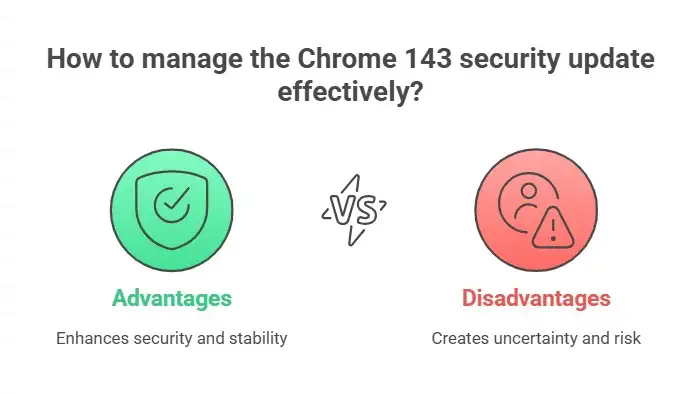
Frequently Asked Questions
What is the Chrome 143 security update?
Chrome 143 was promoted to the Stable channel on December 2, 2025. The initial desktop version fixed 13 security vulnerabilities, including four High-severity issues in V8, Google Updater, DevTools and Digital Credentials.
What is CVE-2025-13630?
CVE-2025-13630 is a High-severity type-confusion vulnerability in Chrome's V8 JavaScript engine. NVD says a remote attacker could potentially exploit heap corruption using a crafted HTML page.
Can CVE-2025-13630 cause remote code execution?
The public vulnerability description confirms a remote heap-corruption risk. Heap corruption can be useful in code-execution exploit chains, but the official description does not mean every malicious page automatically results in complete remote code execution. “Potential RCE risk” is more accurate than claiming guaranteed code execution.
Was CVE-2025-13630 actively exploited?
Google's December 2, 2025 Chrome 143 release announcement did not say CVE-2025-13630 was actively exploited.
Did Chrome 143 fix a zero-day?
The initial December 2 group of 13 vulnerabilities was not announced as actively exploited. However, the later December 10 Chrome 143 update fixed CVE-2025-14174, which Google confirmed had an exploit in the wild.
What version fixed the original Chrome 143 vulnerabilities?
Google's initial desktop Stable release was Chrome 143.0.7499.40 for Linux and 143.0.7499.40/41 for Windows and macOS.
Those versions should now be treated only as historical fixed versions. Users should install the newest Stable release available today.
Is Chrome 143 still the latest Chrome version?
No.
As of Google's August 20, 2026 Stable desktop bulletin, the regular Stable channel was Chrome 151. Google had also begun distributing Chrome 152 through Early Stable to a smaller group of users.
Do I need to restart my computer after updating Chrome?
Usually not. Relaunching Chrome is normally sufficient to activate the browser update.
Should businesses still allow Chrome 143?
For ordinary continuously updated endpoints, no. Organizations should move to a currently supported Stable or approved enterprise channel and monitor compliance rather than intentionally holding endpoints on Chrome 143.
Final Takeaway
Chrome 143 was a significant security update because its initial release fixed 13 vulnerabilities, including serious flaws affecting V8, Google Updater, DevTools and Digital Credentials.
The biggest mistake today would be treating Chrome 143 itself as the security goal.
The initial December 2025 release was followed by additional Chrome 143 security patches, including the actively exploited CVE-2025-14174. Chrome then continued through many newer major versions and hundreds of additional fixes.
If Chrome is installed on your computer, open Help → About Google Chrome, install the newest Stable update offered to you, and relaunch the browser.
Keeping the browser current is one of the simplest ways to reduce exposure to known browser vulnerabilities.
Primary Sources
Google Chrome 143 Stable Channel security bulletin
Google Chrome December 10 zero-day patch
Google Chrome August 2026 release archive
You can also read these important cybersecurity news articles on our website.




-20260925120840.webp&w=3840&q=75)
