
This in-depth weekly recap covers:
Emerging Android malware campaigns
AI assistants being discussed as possible command and control paths
Browser zero-day vulnerabilities
Windows 11 failures and update loops
Long-standing iOS vulnerability claims and what is confirmed versus uncertain
Dark web monitoring realities
What Happened This Week
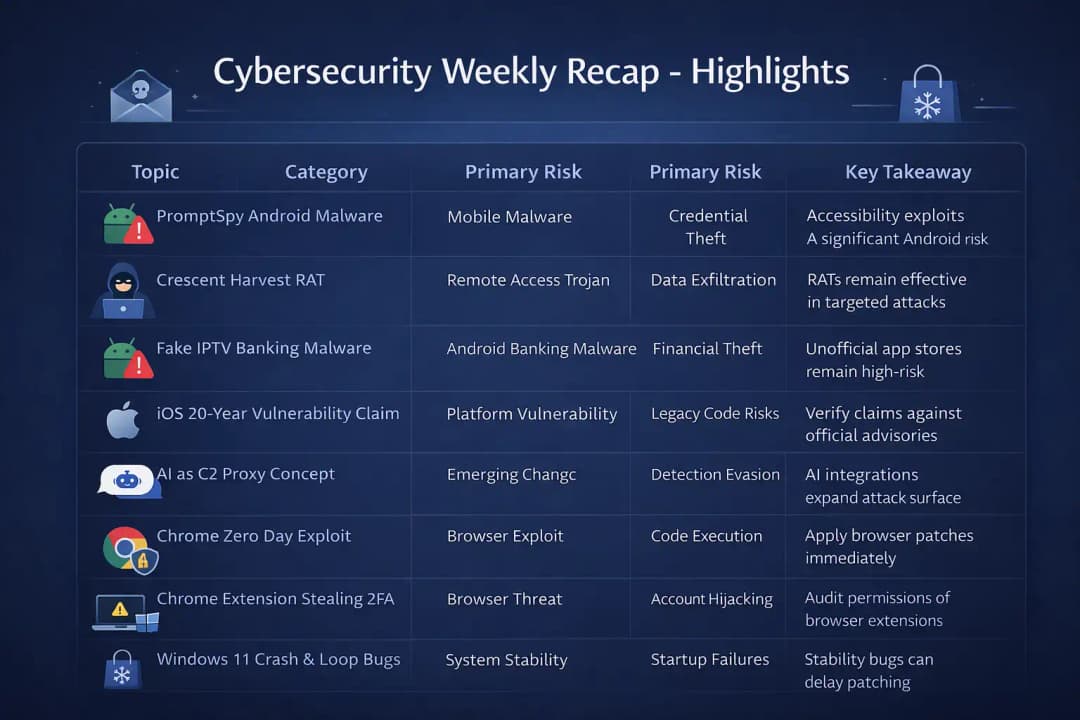
This week’s weekly recap highlights several security themes across mobile, browser, desktop, and AI ecosystems. Some items are clearly documented. Others are still forming, with limited official confirmation. That difference matters, and it is called out where relevant.
1) PromptSpy Android Malware and Gemini AI Persistence
Security researchers reported an Android malware strain referred to as PromptSpy. The interesting part is the claim that it uses AI-related context to help with persistence and to hide in normal user behavior.
Public technical details are still limited, but the reporting suggests familiar Android abuse patterns: accessibility services to observe actions, overlays to capture sensitive input, and deceptive user interface prompts. Those tactics are common in Android credential theft because they work without needing a full exploit chain. Users are tricked into granting permissions that sound harmless.
The “Gemini AI persistence” angle, if accurate, would signal something subtle: attackers are studying what people do with AI assistants and trying to blend malicious activity into those workflows. That does not mean the AI model itself is “infected.” It usually means the malware hides behind user-granted permissions and the normal noise of modern apps.
Some details remain unverified. Where documentation is unclear, conclusions should stay cautious rather than confident.
2) Crescent Harvest RAT Malware Campaign
Another highlight in this weekly recap is Crescent Harvest RAT, described as a remote access trojan designed for covert data access and exfiltration.
A RAT is basically a backdoor with a control panel. Once it lands, it gives an attacker the ability to operate inside a system the way a hidden administrator would, often quietly. Most RATs offer the same core feature set because the objective is the same: control and stealth.
Common RAT capabilities include:
Screen capture
File browsing and downloading
Command execution
Credential harvesting
Persistence through registry, scheduled tasks, or startup locations
Crescent Harvest appears to follow that traditional blueprint. The campaign attribution still looks unclear, which is normal early in a reporting cycle. Many campaigns start with indicators and behaviors, then mature into better understanding as more samples are collected.
RAT campaigns matter because they tend to show up in targeted operations. They are often less noisy than commodity malware, and they can sit in an environment quietly while data is collected.
3) Fake IPTV Apps Delivering Android Banking Malware
A very practical threat this week involves fake IPTV apps distributing Android banking malware. This is the kind of threat that feels almost boring until it hits someone personally. Then it becomes very real, very fast.
The typical flow looks like this:
A user downloads an IPTV app from an unofficial source.
The app requests permissions that do not match its purpose.
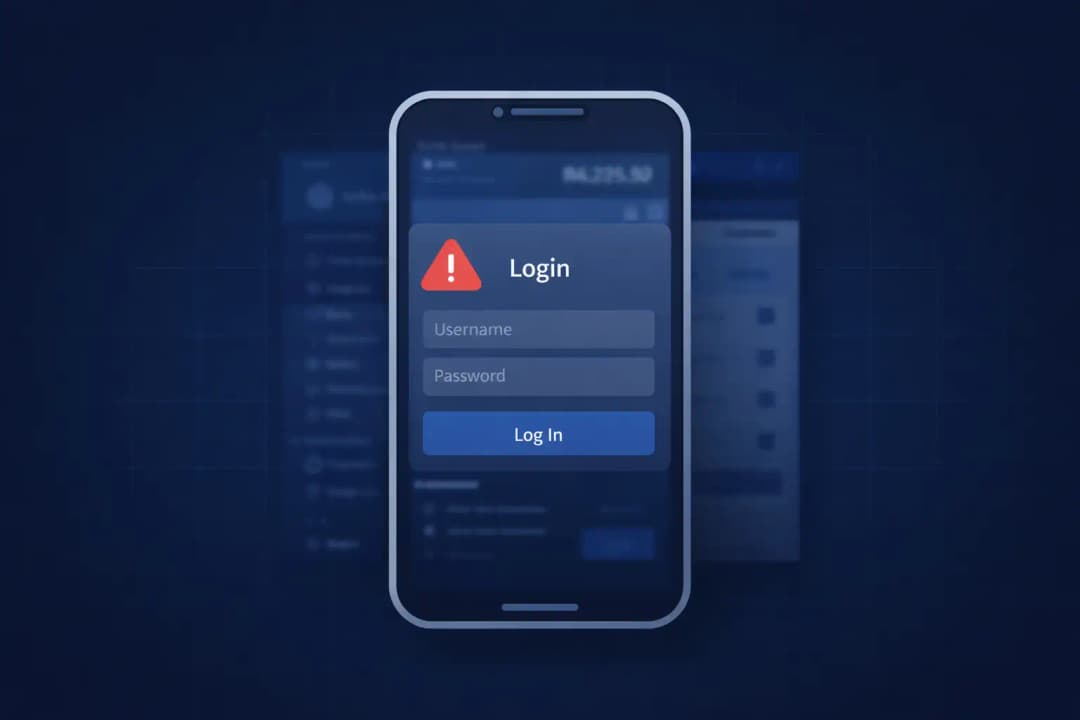
Malware displays overlays on top of banking apps.
Credentials get captured
SMS interception is used to bypass OTP and login confirmations.
This tactic is not new, and that is exactly why it keeps working. Streaming and IPTV-themed apps blend into normal demand. People want sports, live TV, and movies. Attackers know that, so they wrap malware in something that looks like entertainment.
Android banking trojans often rely on:
Accessibility abuse
Overlay attacks
SMS read or notification access
Device admin privileges or attempts to gain them
This weekly recap reinforces a recurring lesson: unofficial app stores and “download the APK” habits are high-risk environments. The infection path is usually permission-based and social engineered, not some magic exploit.
4) iOS Zero-Day Vulnerability Hidden for 20 Years
A reported iOS vulnerability allegedly present for decades surfaced in research discussion. The claim is significant. A long-standing flaw in a core component would be a serious architectural issue.
But here is the important part: official documentation appears limited based on what has been publicly referenced so far. When iOS vulnerabilities are verified, they are typically supported by Apple security advisories and often tied to CVE entries with concrete details over time.
Until formal CVE entries or Apple advisories confirm technical specifics, parts of this story should be treated carefully.
“This appears to be unverified or misleading information, and no official sources confirm its authenticity.”
That line is not there to dismiss the research. It is there to avoid turning a rumor into a fact. Security reporting lives and dies by that discipline.
5) AI Assistants as Malware Command and Control Proxies
This weekly recap also includes discussion about AI assistants being used as command and control proxies. This idea is getting attention because it fits a broader pattern: attackers increasingly piggyback on legitimate services to hide traffic.
Traditional malware command and control often uses:
Hardcoded servers
Domain generation algorithms
Encrypted HTTP traffic
Abuse of social media or public platforms for instructions
Using AI assistant queries as a covert channel would be a newer twist. In theory, malware could encode instructions inside prompt-like text, send it to an AI endpoint, and interpret the response as a command or data payload.
Conceptually, that might look like this:
Instructions encoded in natural language prompts
Responses used to guide malware behavior
Communication hidden inside legitimate API traffic
At the time of writing, there is no widely confirmed, large-scale campaign demonstrating this at scale in a way that is publicly documented. Still, the concept deserves attention because it highlights a real security shift: AI endpoints, plugins, and integrations create new places for attackers to hide.
AI integrations expand the attack surface. That is a practical reality.
6) Chrome Zero-Day Vulnerability Explained
Chrome zero-day vulnerabilities remain a high priority because browsers sit at the front door of almost everything. Email links, shared docs, ads, third-party scripts, and business apps all route through the browser.
A zero day is a vulnerability actively exploited before most users can patch or before a patch exists. Chrome zero-day chains often start with memory safety issues, because a browser is a complex engine doing risky work constantly.
A typical chain may involve:
Memory corruption
Type confusion
Out-of-bounds read or write
Potential sandbox escape
Affected users are usually broad because Chrome runs across:
Windows
macOS
Linux
Zero-day exploitation matters because a browser compromise can become a foothold. Even if the browser is sandboxed, attackers often look for ways to escape that containment.
In a weekly recap, browser zero days should always sit near the top because the exposure is massive.
Read more
7) Malicious Chrome Extension Stealing Facebook 2FA Codes
A malicious Chrome extension was reported stealing Facebook two-factor authentication codes. This is one of those threats that feels unfair because it attacks a security control people trust.
Extensions can have powerful access inside the browser. When a user grants permissions, a malicious extension can behave like a quiet observer sitting next to everything typed or displayed.
If malicious, an extension may:
Read page content and DOM fields
Intercept form data
Capture OTP fields and session artifacts
Inject scripts that modify what users see
That is why “having 2FA” is not a guarantee if the browser itself is compromised. If the OTP is visible on screen or typed in, a malicious extension can grab it.
The takeaway is simple: extension hygiene is security hygiene. Permissions should be treated like admin rights, not like a harmless checkbox.
8) Windows 11 Black Screen of Death and Gaming Crash Issues
Windows 11 users reported black screen failures during startup and gaming scenarios. Not every event in a weekly recap is malicious, but operational failures still matter.
A system that crashes, fails to boot, or loops during updates can become harder to patch, harder to monitor, and easier to misconfigure. That creates indirect security risk, especially in managed environments where compliance depends on consistent patch application.
System instability can lead to:
Data corruption
Incomplete updates
Boot loop conditions
Some reports tie these issues to driver conflicts, especially graphics drivers, and recent changes in startup behavior. Even when the cause is “just stability,” the downstream impact can be real in enterprise operations.
9) Windows 11 Update Restart Loop After KB5077181
Certain users experienced restart loops after a Windows 11 cumulative update identified as KB5077181. Update loops are frustrating because they sit at the intersection of reliability and security.
The most common causes tend to be:
Corrupted system files
Driver incompatibility
Failed rollback attempts
Incomplete update staging
Even when not exploit-driven, failed updates create exposure. Systems stuck in a loop may miss security fixes. And when admins start applying emergency workarounds, new misconfigurations can sneak in.
10) Winter Olympics Fake Shop Scam
Threat actors set up fake e-commerce shops themed around the Winter Olympics. This is classic event-driven social engineering. Big events create urgency, hype, and impulse buying. Scammers love that.
Common scam techniques include:
Typosquatted domains and lookalike URLs
Stolen branding and copied product photos
“Limited time” discount bait pricing
Fake checkout portals designed to steal payment data
Victims can lose payment information and personal data. Sometimes the scam extends into account takeover if the same passwords are reused elsewhere.
Social engineering remains persistent because it targets human behavior, not software.
Read more
11) What Is Dark Web Monitoring?
This weekly recap also touches on dark web monitoring, mostly because it is commonly misunderstood.
Dark web monitoring refers to scanning breach dumps, underground forums, and marketplaces for leaked credentials or sensitive data tied to an organization or individual.
It does not prevent a breach. It is a detection and awareness layer after compromise.
Organizations sometimes treat it like a magic shield. In reality, it is closer to a smoke alarm. Useful, but it does not stop the fire.
Read more
Why This Weekly Recap Matters in Cybersecurity
A clear pattern shows up in this weekly recap: attackers are diversifying, and defenders have to think across ecosystems.
Key trends include:
AI experimentation and potential abuse paths
Mobile banking Trojans that rely on permission tricks
Browser extension abuse that bypasses user expectations
Zero-day exploitation in high-exposure software
Social engineering tied to real-world events
Operating system instability that disrupts patch management
The attack surface is no longer confined to a single platform. A user can be safe on the endpoint and still lose accounts through a browser extension. A company can have strong network controls and still get hit through mobile device behavior.
Security teams should keep eyes on:
Mobile threat intelligence
Browser vulnerability disclosures
AI security implications and policy
Patch management health
User training against scams and risky app installs
Cybersecurity today is ecosystem defense.
How These Issues Technically Work
Some of these mechanisms sound complicated until they are broken down into plain language. Here are the big ones.
Android Overlay Banking Malware
Overlay malware commonly abuses the ability to draw on top of other apps. If a banking app opens, the malware displays a fake login window that looks convincing enough to fool a hurried user.
Credentials entered into that fake window go straight to the attacker. The real banking app never even sees them. That is why it can feel like “the bank got hacked” when the problem was actually a fake screen.
Accessibility services can make this worse by allowing the malware to observe what is happening on screen and react in real time.
Chrome Zero-Day Exploits
Chrome zero days often start with memory corruption. Browsers process a lot of untrusted content. A specially crafted webpage can trigger a bug that causes the browser to mishandle memory. That can lead to code execution.
If the attacker can escape the sandbox, the impact becomes much larger. Even without a full escape, session theft, credential access, and persistent footholds are possible depending on the chain.
Malicious Extensions
Extensions request permissions that grant broad visibility. When an extension has “read and change data on all websites,” it can observe sensitive fields, modify what a page displays, and capture values that users assume are private.
Permissions such as these are especially risky:
Read and change data on all websites
Access clipboard data
Manage downloads
Most users do not audit extension permissions after installation. That is not laziness. It is normal behavior. Attackers rely on that normal behavior.
AI as a Command Channel
If malware encodes instructions in prompt-like queries, network monitoring tools may see normal encrypted HTTPS traffic to legitimate AI endpoints. That makes it harder to separate malicious from legitimate use, especially when AI tools are already approved in business workflows.
That is why modern detection is shifting toward behavior analysis, not just destination blocking.
Impact Analysis
This weekly recap spans multiple sectors:
Consumers using Android banking apps
Enterprises that rely on Chrome for daily operations
Organizations deploying Windows 11 at scale
Teams rolling out AI assistants and integrations
E-commerce customers targeted by fake shops
Mobile banking malware hits financial security directly. Browser zero days and extension abuse can become enterprise entry points. Windows update instability affects patch compliance. AI misuse has the potential to reshape threat models, especially around logging, monitoring, and data leakage.
What Organizations Should Do Now
The safest response is not panic. It is tightening the basics and modernizing a few policies.
Recommended steps include:
Enforce mobile device management policies and app install controls
Block unknown source installs on managed Android devices
Audit browser extensions and limit who can install them
Apply Chrome updates quickly and verify version compliance
Monitor Windows update health and investigate loop patterns
Train users on fake shop tactics and URL verification
Deploy endpoint detection and response solutions where possible
AI integration policies also deserve a review. Logging, access control, and data handling rules should match the reality that AI tools are now part of everyday workflows.
Broader Security Lessons
This weekly recap reinforces several truths.
Innovation attracts abuse. AI integration increases surface area, even when the AI itself is not “the vulnerability.”
Human behavior remains central. Fake apps and fake shops exploit trust and impatience, not deep technical flaws.
Patch management is critical but not always smooth. Update loops are operational problems that can become security problems.
Layered security still wins. No single control prevents everything, but a few good controls together change the outcome dramatically.
Common Misconceptions
A common myth is that zero days only matter for governments. In reality, widely used browsers are attractive targets for everyone because the payoff is broad.
Another misconception is that iOS devices cannot have long-term vulnerabilities. History shows that any complex platform can carry legacy risks.
Dark web monitoring is also misunderstood. It detects exposure after compromise. It does not prevent the breach.
Some also assume AI tools are inherently secure because they are cloud-based. Security depends on implementation, access control, and how data flows through integrations.
Hoplon Insight Box
Security leaders should prioritize:
Mobile threat detection and response
Extension governance and permission controls
AI usage monitoring frameworks
Continuous vulnerability scanning and patch verification
ncident simulations that include mobile and browser scenarios
AI systems should be treated like new endpoints in the environment, because that is how attackers are starting to treat them.
Frequently Asked Questions
1) What is included in a cybersecurity weekly recap?
A cybersecurity weekly recap analyzes major incidents, vulnerabilities, malware campaigns, scams, and operational risks observed within a week, with context and technical explanation.
2) Are Android banking malware attacks increasing?
Android banking Trojans remain active globally, and distribution methods keep evolving. Unofficial app sources and permission abuse remain common delivery paths.
3) How dangerous are Chrome zero-day vulnerabilities?
They are high risk because exploitation can happen before patching is widespread, and the browser is a high-exposure target in both consumer and enterprise environments.
4) Can AI assistants really be used as command channels?
Conceptually, yes. Publicly confirmed large-scale campaigns remain limited, but the idea matters because it shows how legitimate services can be abused to blend traffic.
5) Does dark web monitoring stop data breaches?
No. It helps detect exposed credentials or data after compromise, which can support response and containment.
For more latest updates like this, visit our homepage.





